5.10.2 Particle Parameters
|
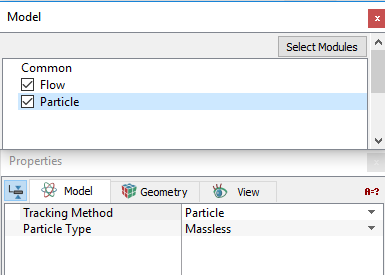
The parameters of the Particle module apply to all Volumes and Boundaries in the Simerics-MP. The Particle module requires that the simulation is Transient. The following Particle parameters can be specified as follows:
|
Figure 5.217 - Particle parameter |
|
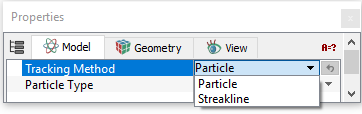
Tracking MethodTracking Method offers two types of tracking: Particle or Streakline.
|
Figure 5.218 - Tracking Method |
|
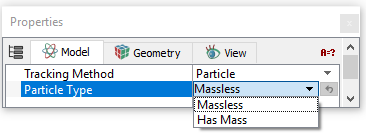
Particle TypeSpecifies the mass of the considered particles of the Transient simulation. This offers two ways to consider the mass of particles: Massless or Has Mass. MasslessMassless sets the mass of the particles in the Particle module to zero. This option, in effect, causes the particles to follow the streamlines. Has MassHas Mass assigns a mass to the particles. The Mass of a Particle is dictated by the Particle Density and the Radius of Particles specified at the boundary where the particle is released.
|
Figure 5.219 - Particle Type |
|
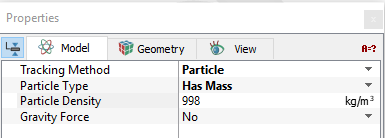
Particle DensityThis specifies the density of the particles in the flow.
|
Figure 5.220 - Particle density |
Gravity Force
The effect of gravity can be considered for the particles. For the Gravity Force to be considered for Particle or Streakline, the Particle Type has to be set to Has Mass.
|
Specify the effect of gravity as follows:
|
Figure 5.221 - Gravity Force |
 directions.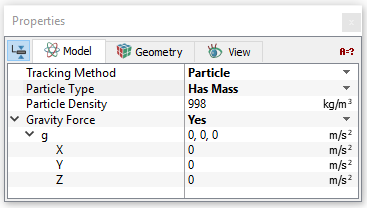
|
Note: Setting Gravity Force to Yes under the Particle module activates the effect of gravity for any particles, but not the fluid. |